
Order Desk vs. Linnworks
Linnworks is a quote-based commerce platform with add-on modules. Order Desk gives multichannel sellers powerful order automation, with pricing you can see today and a setup you can start on your own.
- Automated order routing
- Hundreds of integrations
- 5-star support











Order Desk and Linnworks, side by side
Both help multichannel sellers automate their orders. The difference is how much you have to commit before you know it’s the right fit.
 Order Desk | Linnworks | |
|---|---|---|
| What it is | Order management and automation built for ecommerce sellers, suppliers, and print companies | A commerce operations platform covering listings, inventory, orders, warehouse, and shipping |
| Pricing | Published on our pricing page: a monthly subscription plus a small per-order fee | Not published. Speak to a specialist for a quote, tiered by monthly orders with overage charges |
| Trying it out | A 30-day trial with full access to every feature and integration | Book a demo or take a product tour |
| What’s included | Every plan includes all integrations, automations, and inventory tools | Listing, WMS, and Forecasting are add-on modules, priced separately |
| Getting started | Sign up online and connect your first store yourself | Guided onboarding, plus a separate one-off onboarding fee based on your needs |
| Sales channels | Shopify, Amazon, eBay, Walmart, TikTok Shop, and many more, built in | 100+ marketplaces and channels |
| Printers, 3PLs, and suppliers | Built-in integrations with print on demand companies, warehouses, and fulfillment services, plus email and CSV for any vendor | Direct 3PL connections, such as ShipBob and Amazon MCF |
| Warehouse and listings | Inventory syncing, picklists, and reports by SKU. Not a full warehouse management system | Warehouse management, listing management, and forecasting, as add-on modules |
Powerful automation without the sales process

Automation that bends to your workflow
The Rules Engine lets you split orders, add data before orders are sent for fulfillment, filter by country, and automatically route products to the right vendors. Build as many rules as you need on any plan.
“As the warehouse and fulfilment world changes, Order Desk has helped us connect to more selling channels and warehouses for our clients than we ever thought was going to be possible. Incredible software with a great support team behind it.”Ryan E, Capterra review
Your data, in any format your partners need
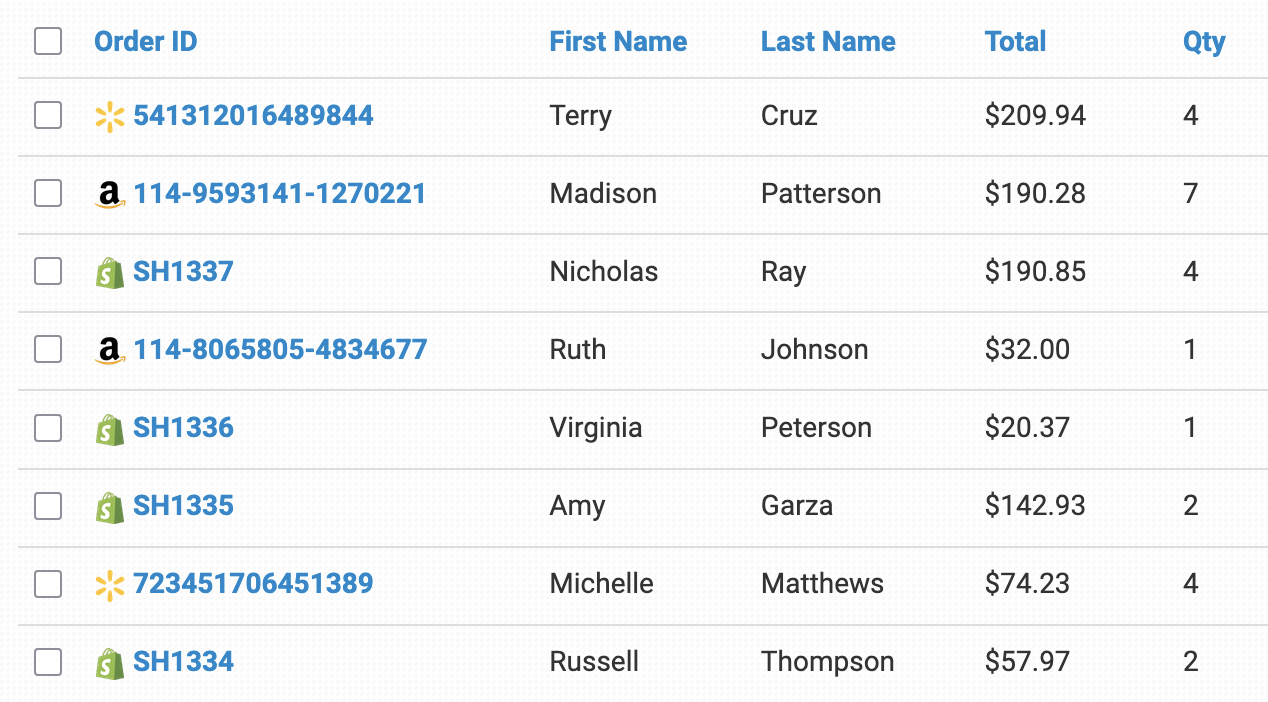
Create CSV exports in any format a supplier needs and send them automatically by email or FTP. Organize orders in custom folders, see every order’s status at a glance, and give each teammate exactly the permissions they need.
“I have to say, I have never experienced customer service like this. This is one of, if not, the best company I have ever worked with.”Rancher’s Prime, Shopify review

See the price before you talk to anyone
Every Order Desk plan is published: a monthly subscription plus a small per-order fee, with every integration included. Compare plans and estimate your costs before you ever sign up.

Help from people who know orders
Follow step-by-step guided walkthroughs in the knowledge base, or reach a support team customers rate 5 stars when you’d rather talk it through.
From sign-up to your first routed order
With Order Desk you can be routing real orders before you’d finish a sales process.
With Order Desk
- Sign up with your email and answer a few quick questions.
- Connect your stores and partners from the built-in integrations.
- Set up rules to route, split, and export your orders.
- Choose a plan from the pricing page when you’re ready.
With Linnworks
- Book a demo or speak to a specialist.
- Get a quote based on your monthly orders and the modules you need.
- Agree to a one-off onboarding fee based on your needs.
- Work through guided onboarding.

Seven figures with a three-person team.Atelier Printworks
Orders from their online stores are routed to three print partners automatically, and tracking comes back without anyone touching it.
Get your orders moving
Connect your stores and suppliers and watch orders route themselves. Start automating your orders today.
 Watch the Order Desk demo