
Order management for suppliers and print companies

Connect to your clients' stores, pull every order into one hub, and send tracking back to their shopping carts as you fulfill.

  • Every client’s orders in one hub
  • Dozens of shopping cart integrations
  • 5-star support

Risk-free, 30-day trial that includes full access to Order Desk!

"As a dropship supplier, we are also able to use Order Desk to keep items in an order that are not shipped by our company from being submitted to us."

Joshua, wholesale dropship supplier, GetApp review

"Phenomenal, powerful and infinitely customizable, I cannot praise Order Desk enough. It has become the hub of our multi-channel business."

Photography Backdrop Club, Shopify App Store review

"Order Desk has helped us connect to more selling channels and warehouses for our clients than we ever thought was going to be possible."

Ryan E., Capterra review

There's a better way to manage orders for all your clients

The Old Way

  • Collecting orders from each client in a different format
  • Re-keying spreadsheets before anything can be printed
  • Sending tracking back to every client by hand

The New Way

  • Orders from every client store pulled into Order Desk
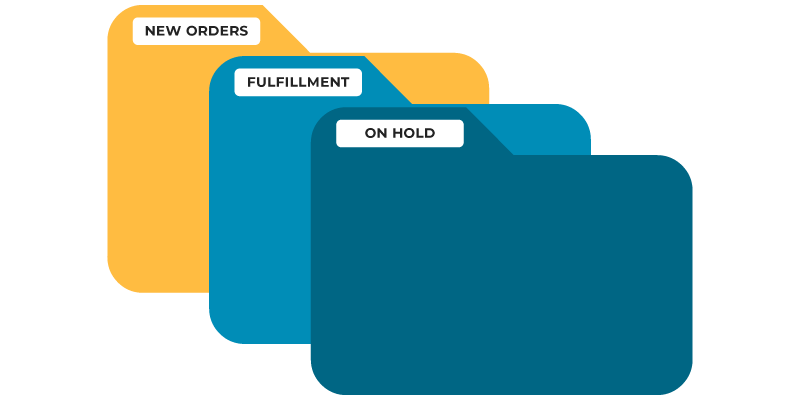
  • Rules split, edit, and move orders the way each client needs
  • Tracking pushed back to your clients’ shopping carts as you fulfill

Built for suppliers fulfilling for many clients

Every client sells on a different cart, with different products and different rules. Order Desk lets you set up each client store to handle orders exactly how they need, all from one login.

A Store For Every Client

Give each client their own Order Desk store with its own integrations, rules, and fulfillment process. Switch between them from one user account.

No API? No Problem

If you can accept an email per order or a file of batched orders, your clients’ stores can send orders to you automatically. Import templates bring in orders from carts we don’t integrate with.

Bring Your Clients In

Add clients as users on their own store so they can follow along, with permissions that control exactly what each one can see and do.

Every client store flows into your Order Desk

Connect to your clients’ shopping carts, process their orders in one hub, and push fulfillment details back as orders ship.

Client store AShopify
Client store BWooCommerce
Client store CBigCommerce


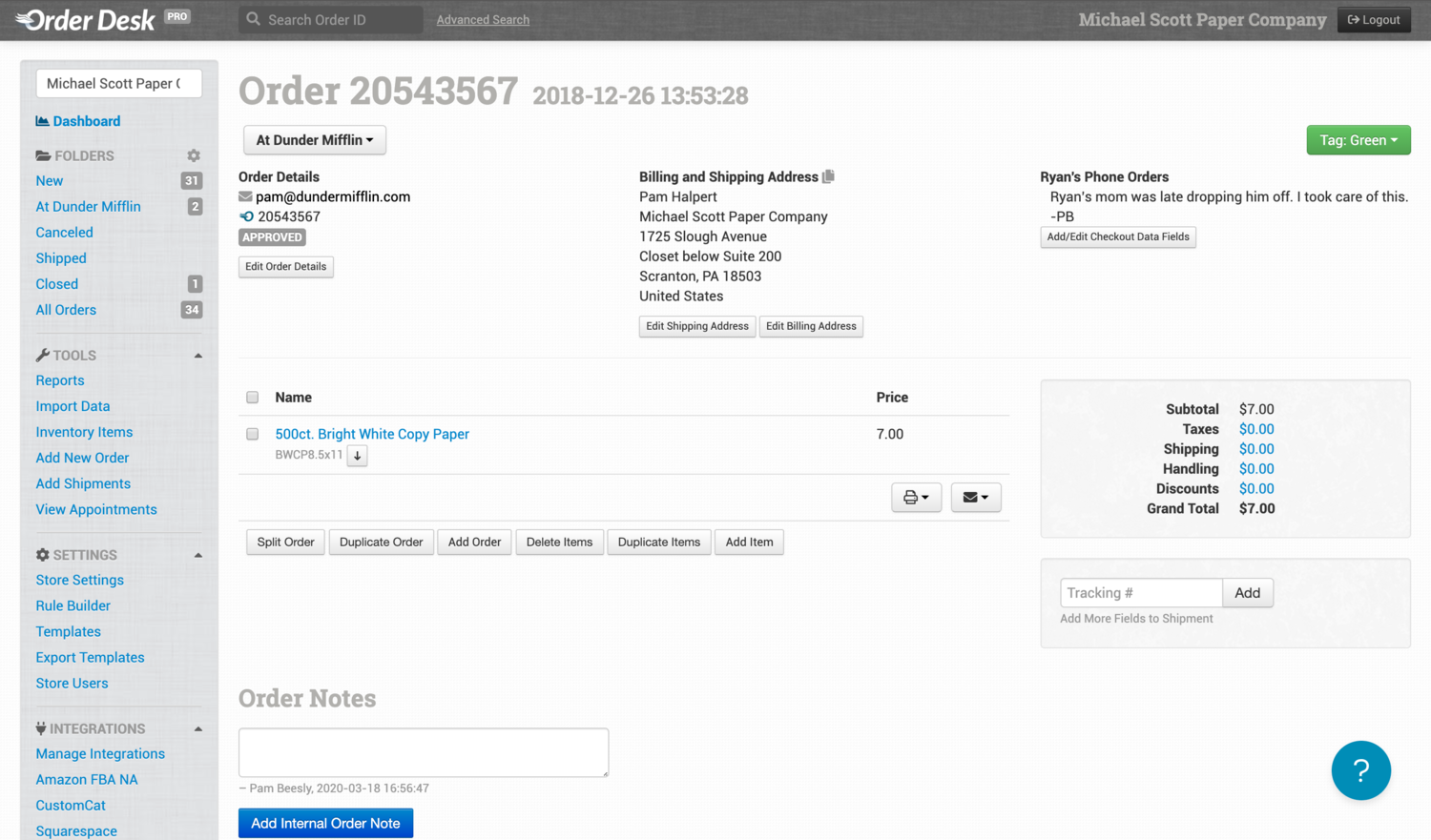
Screenshot of the Order Desk app

How client orders move through Order Desk

Orders in

Shopping cart integrations

Connect to your clients’ stores and pull their orders in automatically.

Spreadsheet imports

Client on a cart we don’t integrate with? If they can download a spreadsheet of orders, you can import it.

Only the orders meant for you

Use vendor or country filters where an integration offers them, or split orders once they arrive.

Order Desk

Rules · Splits · Folders

Edit, split, move, and process each client’s orders exactly how they need to be handled.

Tracking out

From your fulfillment service

If your fulfillment service is integrated, tracking is pulled back into orders automatically.

From a tracking file

No integration? Import a file of tracking details to update orders in bulk.

Back to your clients’ carts

Where the cart integration supports it, fulfillment details are pushed back so your clients’ customers know their order shipped.

Start fulfilling for your clients in three steps

There’s no right or wrong way to set up your stores, as long as orders move through Order Desk the way your fulfillment needs. Here’s where most suppliers begin.

Create your primary store

Set up your own store in 5 minutes or less. Create every store under the same email address, and they’ll all be linked to your user account.

Add a store for each client

Keep each client separate with their own integrations and rules, or copy their orders into your primary store. Switch between stores from the dropdown in the app.

Connect your clients' carts

Connect each client’s shopping cart to their Order Desk store. If a client won’t share credentials, add them as a store user so they can enable the connection themselves.

One Minute Product Demo

See Order Desk in action

Take a one-minute look at how Order Desk turns a stream of client orders into one manageable workflow.
Order Desk Insiders

Join our free community

Ecommerce pros and Order Desk users are swapping strategies, troubleshooting workflows, and staying ahead of industry trends together in our exclusive Facebook group, Order Desk Insiders.

Order management for suppliers FAQs

Yes. Order Desk can be customized to support the workflows your clients have. Connect to your clients’ stores, pull their orders into Order Desk, and set up each client store to edit, split, move, and process orders exactly how they need to be handled.

Yes. As long as you can accept emails (one per order) or files of batched orders, you can set up your clients’ stores to send orders to you automatically. Export templates can send files by email or FTP on a schedule, much like an integration.

Maybe! It depends on the technical details. To request a new integration, fill out this form and someone from our integrations team will follow up with you.

If your client won’t provide private app credentials, add them as a store user on their own Order Desk store so they can enable the connection directly.

Some integrations have vendor or country filters that can bring in only the orders meant for you. Shopify, for example, has a vendor filter. If filters aren’t available or won’t work, you can split orders once they arrive in Order Desk and only fulfill the ones meant for you.

Either works. You can keep each client separate with their own integrations, rules, and fulfillment process, or copy their orders into your own primary store with a rule. A copied order passes fulfillment details back to the original order and can update the shopping cart, but it counts as a separate order for billing. A moved order breaks the link to the shopping cart, so it isn’t recommended for orders that need tracking sent back.

Yes. Add clients, colleagues, or vendors as users on a specific store, and set permissions to limit what each person can see and do. Store users can only access the stores where their email address has been added, not every store on your account.

Each Order Desk store can be on its own plan, and we offer a plan designed for accounts running many stores. See our pricing page for details. You can link each client store’s billing to your primary store, or let clients handle billing for their own stores.

Ready to automate?
Start your risk-free 30-day trial today.