Automatic imports from every channel
Each sales channel integration checks for new orders on the schedule you set. Filters and rules can skip the orders you don’t need.
How order imports workOrder Desk features
Order Desk brings in orders from every store and marketplace you sell on, routes each one to the right warehouse, printer or supplier, and syncs tracking and inventory back. Here’s everything it can do.
Hundreds of integrations · 5-star support · 30-day free trial
Automation
Rules tell Order Desk what to do with each order, item and shipment, so routine decisions happen on their own instead of order by order.
Build Order Rules, Order Item Rules and Shipment Rules to act on a whole order, a single line item or a new shipment.
How rules workStart a rule when an order is imported, a shipment is added or a folder changes. Combine filters with AND or OR, then add as many actions as you need.
See every event and actionChange folders, split orders, email customers, change payment status, deduct inventory, edit line items or post order data to your own app.
Run rules on a schedule with custom events, as often as every 5 minutes, for the orders in a folder.
How custom events workTurn any rule into a button you can click for a single order or a whole group of orders at once.
How custom buttons workTag orders by rule to flag what needs attention, and add tags to Shopify orders directly with a rule action.

Order import & organization
Order Desk imports orders from the stores and marketplaces you sell on and keeps them organized in folders you control.
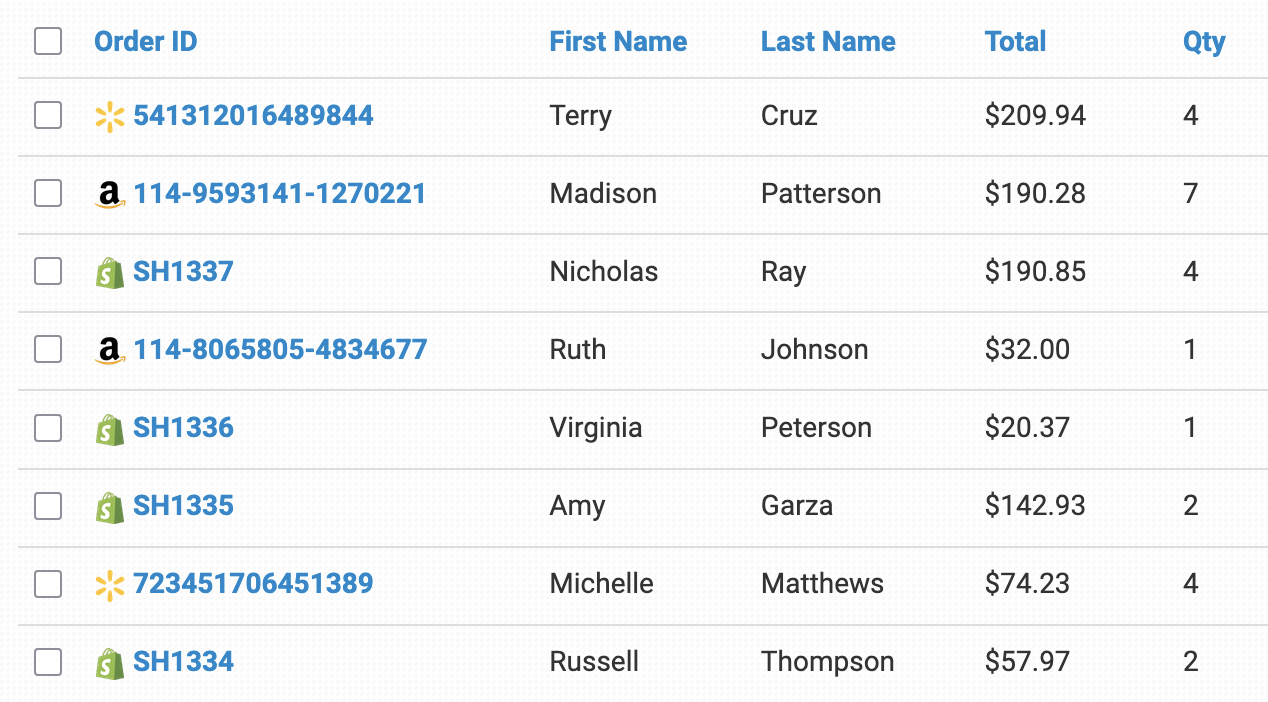
Each sales channel integration checks for new orders on the schedule you set. Filters and rules can skip the orders you don’t need.
How order imports workImport orders from a spreadsheet with an import template. Each template gets its own email address, and Order Desk can also pick up files from your FTP server.
How spreadsheet imports workStart with New, Prepared, Closed and Canceled, then add a folder for each step of your workflow. Rules, integrations and exports can move orders for you.
How folders workChoose and rearrange the columns in each folder so your team sees the order details that matter at a glance.
Customize folder columnsSee every import attempt, including which orders were imported, which were skipped and why.
Read the release notesStore extra details on every order and item, edit them by hand or by rule, and use them in rules, templates and exports.
How checkout data worksRouting & fulfillment
Send each order, or each part of an order, to the warehouse, printer or supplier that fulfills it, with the SKUs and shipping methods they expect.
Split orders by rule and send each part to a different vendor. Tax, shipping, handling and discounts are split proportionally between the orders.
How order splitting worksSubmit orders through an integration, email each vendor their part of the order, or send a CSV file.
How dropshipping worksCombine two or more orders by hand, or let Order Desk merge orders that share a shipping name, company and address.
How merging worksSwap your SKUs for the ones your partner uses, or turn one product into several products for bundles.
How Code Replace worksMatch your store’s shipping method names to the ones your fulfillment partner uses, and send back the service values marketplaces expect.
How shipping matches workSend orders for fulfillment with a click, or automate submission once you’re confident everything is set up right.
How to send orders for fulfillmentShipping & tracking
Tracking comes back from your fulfillment partners, or from labels you print yourself, and goes straight to your store and your customer.
When fulfillment services send tracking back, Order Desk adds the shipment to the order. You can also add shipments in bulk from a spreadsheet.
How shipments workOrder Desk can send shipment and tracking details back to the store the order came from and mark it as shipped.
Set up a rule that emails your customer their tracking details whenever a shipment is added to their order.
Send tracking to customersFetch rates and buy labels right on the order page with shipping integrations like EasyPost. The tracking number is added to the order for you.
How label creation worksPrint labels straight to your label printer through PrintNode, a small app you install on your computer.
Set up thermal printingOrder Desk doesn’t process returns itself, but you can create a return label, send it to your customer and keep track of returns in their own folder.
How to handle returnsInventory
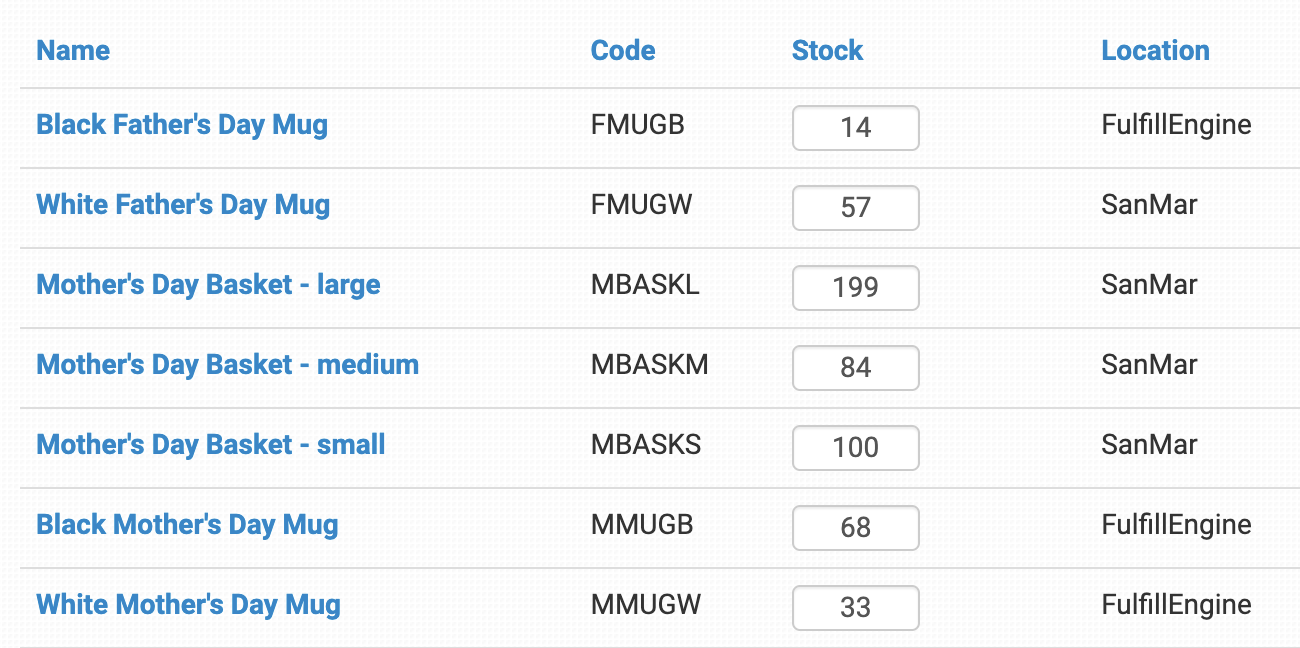
Order Desk keeps track of your products and stock counts, so your stores show what your warehouses actually have.
Products in imported orders are added to your inventory automatically, and stock counts go down as new orders come in.
How inventory quantities workPull stock counts from your fulfillment service and send them to your shopping carts and marketplaces.
Push inventory updates from one Order Desk store to the other stores you choose.
Sync inventory between storesSave details like print files and printer product codes on each inventory item once, and Order Desk adds them to orders when the SKUs match.
Sync item details into orders
Documents, emails & exports
Build the documents, emails and data files your customers and partners need, then send them by hand or automatically.
Design order documents with Twig templates, print them from any order, or create PDFs automatically with a rule.
How order documents workSend custom emails to customers, vendors or your own team, by hand or by rule, with attachments when you need them.
How email templates workSend Order Desk emails through your own SMTP server, with Order Desk’s server as a backup if yours is unavailable.
Set up your own email serverCreate CSV or XLSX exports in any layout your partners need, with filters and custom fields, then email them or upload them to FTP.
How export templates workRun exports at set times each day or four times a day, and move the exported orders to a folder so nothing is sent twice.
Every feature and integration is documented in the Order Desk help center, with step-by-step walkthroughs and a full rules reference.
Visit the help centerRefunds & payments
When an order was paid through a connected payment gateway, you can manage the payment right from the order page.
Refund a payment in full or in part from the payment box under the order totals.
How refunds and captures workIf a payment came in as an authorization, capture all or part of it when you’re ready to charge.
Void a recent charge before it settles, if your payment gateway supports it.
Teams & multiple stores
Give everyone the access they need, and manage several stores from a single login.
Add your team with their own logins and control what each person can see and do, including limited access for vendors. Pro and Plus plans include unlimited users.
Add your teamCreate as many stores as you need and switch between them with one Order Desk account.
Manage multiple storesCopy orders, rules and templates from one store to another instead of rebuilding them.
For developers
Connect your own apps and services to Order Desk.
A RESTful JSON API to add orders, pull order status, add shipments and retrieve inventory items.
Read the API docsRules can send order details as JSON to your own URL. Failed posts are retried up to five times over two hours.
Post orders to a custom scriptSend shipment details to a URL you choose as soon as they’re added to an order.
Set up shipment notificationsWho uses Order Desk
“Phenomenal, powerful and infinitely customizable, I cannot praise Order Desk enough. It has become the hub of our multi-channel business.”
FAQ
Every plan includes Order Desk’s core features, including the Rule Builder, custom exports, user accounts and 5-star support. Plans differ in their monthly and per-order fees and in limits: Starter connects up to 3 integrations with one user, while Pro and Plus include unlimited integrations and users.
Yes. Rules can split an order and send each part to a different vendor through an integration, by email or as a CSV file. Tax, shipping, handling and discounts are split proportionally.
Yes. When a shipment is added to an order, Order Desk can send the tracking details back to the store the order came from, mark it as shipped and email your customer.
Yes. Custom events let rules run on a schedule for the orders in a folder, as often as every 5 minutes. Rules can also run when an order is imported, a shipment is added or a folder changes, or when you click a custom button.
Order Desk doesn’t process returns itself, but you can create an EasyPost return label, send it to your customer and keep returned orders in a Returns folder.
Yes. The Order Desk API is a RESTful JSON API for adding orders, pulling order status, adding shipments and retrieving inventory items. Rules can also post order data to your own URL.
Yes. The 30-day free trial includes full access to Order Desk. It waives the monthly subscription fee; per-order fees still apply to orders you create during the trial.