
Order Desk vs. Pipe17
Order Desk vs. Pipe17
Pipe17 is a connected order management system for enterprise brands and 3PLs, configured with its team. Order Desk gives growing ecommerce sellers order routing and automation they can set up themselves, with published pricing.
- Automated order routing
- Hundreds of integrations
- 5-star support









Order Desk and Pipe17, side by side
Both connect your sales channels to the places your orders are fulfilled. The difference is who they are built for and how you get started.
 Order Desk | Pipe17 | |
|---|---|---|
| What it is | Order management and automation built for ecommerce sellers, suppliers, and print companies | A connected order management system and order operations platform for enterprise brands and 3PLs |
| Pricing | Published on our pricing page: a monthly subscription plus a small per-order fee | Not published. Based on order volume, connections, flows, and sub-accounts |
| Trying it out | 30 days with full access to every feature and integration | Book a demo |
| Getting started | Sign up online and connect your first store yourself | Configuration with Pipe17’s team, a one-time charge based on connections, flows, and scope |
| Connections | Hundreds of built-in integrations with sales channels, printers, warehouses, and suppliers, plus email and CSV for any vendor | 300+ pre-configured connectors that Pipe17 maintains, plus a unified API |
| Retail EDI | Integrations with SPS Commerce, Wayfair, Target Plus, and Amazon Retail Procurement | EDI trading partners through its connectivity network |
| Automation | The Rule Builder: pick an event, add filters, and choose actions for orders, items, and shipments | Visual workflows or plain-language setup, with AI routing and exception handling |
| Warehouse and inventory | Inventory syncing, picklists, and reports by SKU. Not a full warehouse management system | Inventory visibility across channels, warehouses, and your ERP |
Built for the work between “ordered” and “shipped”
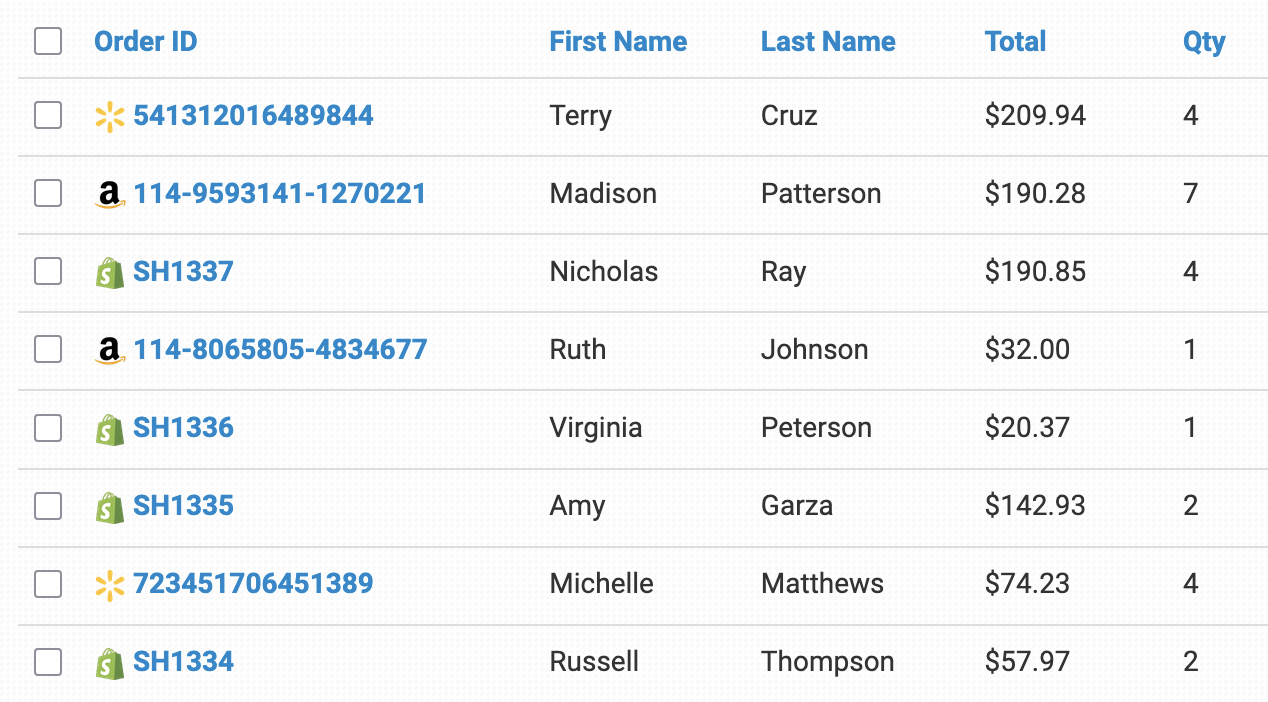
Every order from every channel, in one list
Orders from Shopify, Amazon, eBay, Walmart, TikTok Shop, and more land in custom folders you control. Split orders by vendor, send each part to the right partner, and push tracking back to the store the order came from.

Automation you set up yourself
Use the Rule Builder to split orders, add data before they’re sent for fulfillment, filter by country, and route every item to the right vendor.

Pricing that grows with your orders
Pay a flat monthly price and a small fee per order. Every plan includes all integrations, and Pro and Plus include unlimited users, so you never pay per seat.

Help from people who know orders
Follow step-by-step guided walkthroughs in the knowledge base, or reach a support team customers rate 5 stars when you’d rather talk it through.
How you get up and running
Order Desk is built for sellers who want to set things up themselves. Pipe17 starts with a demo and a configuration project with its team.
With Order Desk
- Sign up with your email and answer a few quick questions.
- Connect your stores and partners from the built-in integrations.
- Set up rules to route, split, and export your orders.
- Choose a plan from the pricing page when you’re ready.
With Pipe17
- Book a demo with Pipe17’s team.
- Get pricing based on your order volume, connections, flows, and sub-accounts.
- Work with Pipe17 on configuration, from setup to testing.
- Go live once your connections and flows are tested.

Seven figures with a three-person team.Atelier Printworks
Orders from their online stores are routed to three print partners automatically, and tracking comes back without anyone touching it.
Get your orders moving
Connect your stores and suppliers and watch orders route themselves. Start automating your orders today.
 Watch the Order Desk demo